How to Use Beam: Fill Your Pipeline in 5 Simple Steps
Turn Construction Estimates into Leads: A Beam Playbook for Marketers
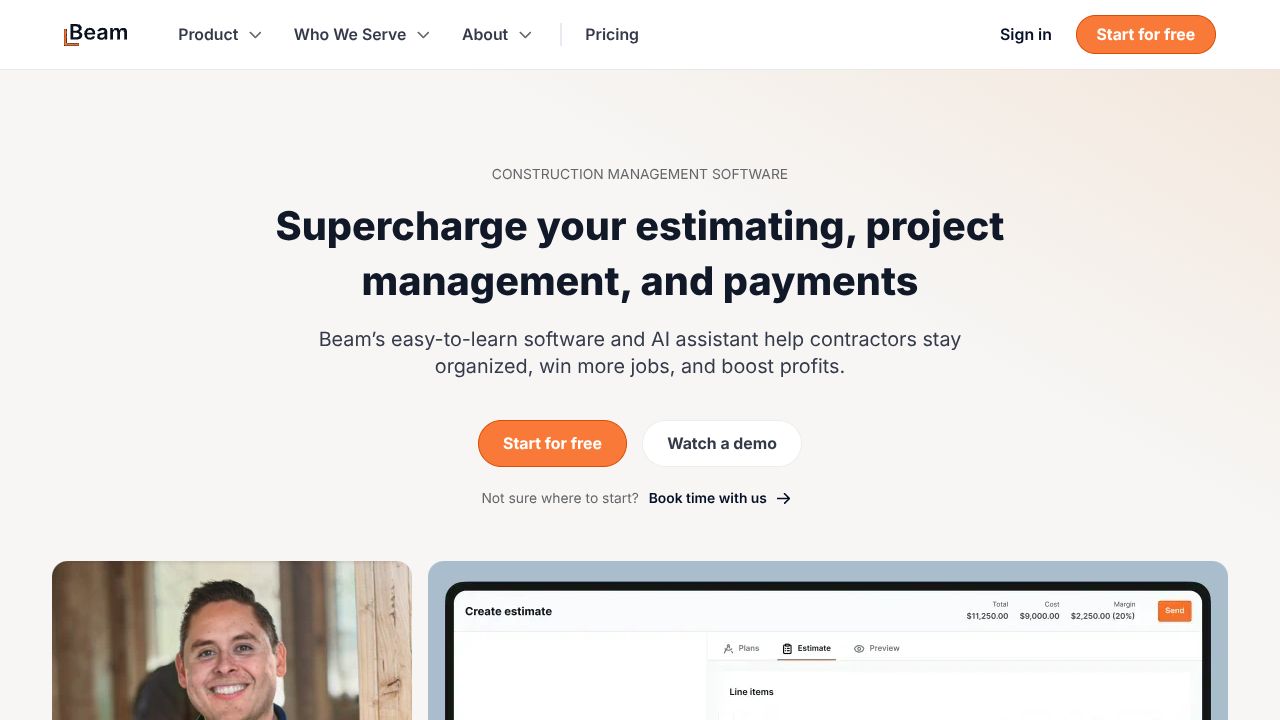
Slow estimates are killing your pipeline. Because your pipeline shouldn’t sleep, our team treats speed-to-estimate as a demand gen lever—and Beam turns plan uploads and site notes into draft estimates in minutes. That means you can convert “just-looking” traffic into booked appointments with an always-on, high-intent offer: fast conceptual pricing. While other automation tools help with outreach or scheduling, Beam automates the value moment—price clarity—right when prospects are deciding whom to call. In our team’s sprints with builder marketers, this single shift lifted lead-to-opportunity rates without piling on headcount.
Step 1: Setting Up Your Account
We setup Beam like a conversion engine, not just an estimating tool.
- Create your Beam account at trybeam.com and invite both marketing and precon/estimating teammates. Give marketing view/export rights so we can build campaigns around outputs.
- Upload baseline cost libraries or unit rates. If you don’t have clean data, start with your most common project types (e.g., kitchen remodel, ADU, tenant improvement) and set conservative ranges.
- Define file intake paths:
- A shared inbox (e.g., estimates@yourcompany.com) that prospects and reps can send plans/notes to
- A cloud folder for web form uploads
- Draft a standard disclaimer template (conceptual estimate language, exclusions) to keep outputs consistent across campaigns.
- Pricing is currently unknown, so scope a pilot: 30 days, 1–2 project types, clear SLA (24-hour conceptual estimate) to validate ROI.
Step 2: Core Features You Need to Know
We’ve found four Beam features unlock immediate marketing wins:
- AI plan scanning for estimates
- Practical use: Turn “Upload your plans for a same-day ballpark” into a landing-page CTA. Upload PDFs; Beam drafts quantities and costs. Export to PDF for fast follow-up.
- Site notes processing
- Practical use: Field reps snap notes/photos from a walkthrough. Beam converts those notes into a structured estimate to keep your pipeline moving even without full plans.
- Rapid estimate generation
- Practical use: Set an always-on tactic—auto-acknowledge every form fill with “We’re drafting your conceptual estimate—expect it in hours, not days.” Speed becomes your brand.
- Integration with builder workflows
- Practical use: Route Beam exports to your CRM or shared folder and trigger next steps (calendar link, financing options, case studies) as soon as the estimate posts.
- Accurate quantity and cost calculations
- Practical use: Use ranges (good–better–best) to present options, then segment nurture by budget band (e.g., <$50k vs. $50–150k).
Step 3: Pro Tips for Marketing Professionals
We turn Beam into a full-funnel, always-on system:
- Build a “24-Hour Conceptual Estimate” offer
- Landing page + upload widget + SLA. Promote via paid search and local directories. This becomes your highest-intent lead magnet.
- Create Pipeline Strategies around speed
- SLA dashboard: if Beam output isn’t ready in 12 hours, alert a rep to call and qualify live.
- Auto-assign leads by estimate size or project type to the right AE.
- Automation Guides playbook
- On estimate export: send branded PDF, insert calendar link, and surface 2–3 relevant portfolio pieces matching scope.
- Add UTM tags to every outbound asset so you can attribute revenue to the estimate offer.
- Demand Gen Tools integration
- Repurpose anonymized estimates into price-range content (“What Does a 500 sq ft TI Cost in Austin?”) to fuel SEO and paid ads.
Common Mistakes to Avoid
- Treating Beam outputs as final bids
- Prevent it: Clearly label “conceptual estimate,” include exclusions, and book a follow-up to validate assumptions.
- Skipping cost library hygiene
- Prevent it: Review unit rates monthly; align with current supplier pricing to avoid underquoting in campaigns.
- Collecting plans without consent or context
- Prevent it: Add terms on your form, and require minimum details (location, project type, desired start date) to qualify leads.
How It Compares to Alternatives
- While Origami Agents excels at sales automation logic (branching, loops, outreach cadences), Beam is better suited for automating the estimating moment that creates intent. Pair them: feed Beam’s estimate ranges into Origami Agents for personalized follow-ups.
- While Sked Social shines in Instagram-first scheduling and AI optimization across Meta/TikTok, Beam is upstream—fueling a unique offer worth promoting. Use Sked Social to run ongoing “24-hour estimate” creatives; Beam powers the fulfillment.
- While Creatio provides low-code CRM and workflow automation across the whole customer lifecycle, it doesn’t specialize in AI plan scanning. Beam fills that estimating gap; then connect outputs to Creatio for routing, SLAs, and reporting.
Conclusion: Is Beam Right for You?
If you market construction, remodeling, or specialty trades, Beam turns slow, manual estimating into an always-on conversion engine. It’s not a CRM or social scheduler; it’s the demand trigger that earns the conversation. With pricing unknown, we recommend a focused pilot tied to a 24-hour estimate SLA and clear attribution. Our team’s take: use Beam to create value fast, then let your automation stack carry it home—because your pipeline shouldn’t sleep.